
Autolathe
More actions
 | |
| Constructing Options | Autolathe |
|---|---|
| Properties | |
| Stacks | No |
| Recipes | |
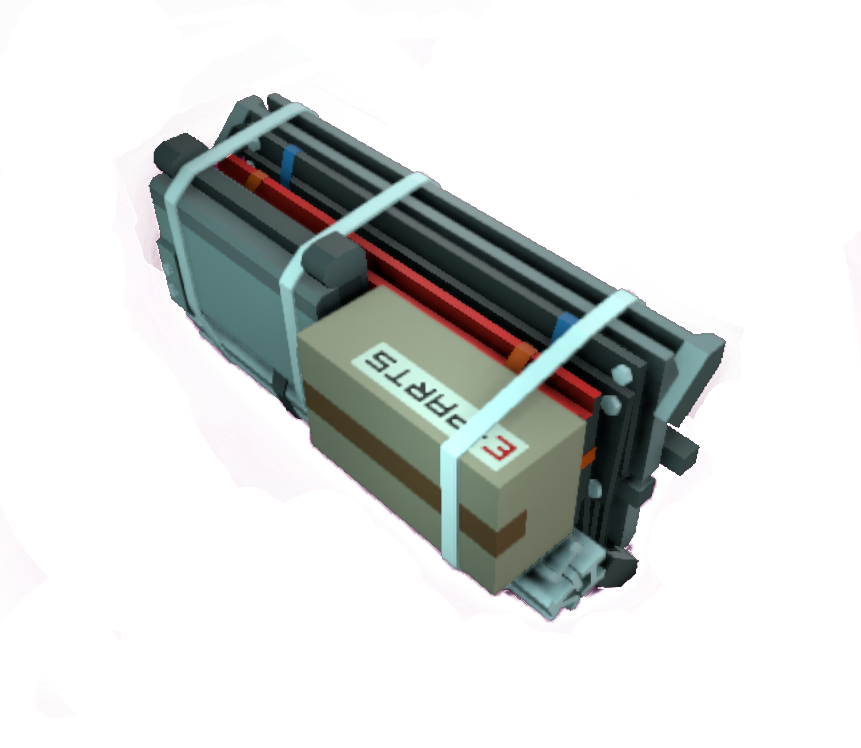
| Autolathe | 20g Iron, 2g Gold, 10g Copper |
| Logic | |
| Item Hash | -1753893214 |
| Item Name | ItemKitAutolathe |
| Logic Classes |
SlotClass.None SortingClass.Kits |
 | |
| Operation | |
|---|---|
| Power Usage | 100W |
| Prefab Hash | 336213101 |
| Prefab Name | StructureAutolathe |
| Construction | |
| Placed with | Kit (Autolathe) |
| Placed on | Small Grid |
| Requires Frame | Yes |
| Stage 1 | |
| Next Stage Construction | |
| Constructed with tool | Welding Torch |
| Constructed with item | 2 x Iron Sheets |
| Deconstruction | |
| Deconstructed with | Wrench |
| Item received | Kit (Autolathe) |
| Stage 2 | |
| Next Stage Construction | |
| Constructed with item | 4 x Cable Coil |
| Deconstruction | |
| Deconstructed with | Angle Grinder |
| Item received | 2 x Iron Sheets |
| Stage 3 | |
| Next Stage Construction | |
| Constructed with tool | Welding Torch |
| Constructed with item | 2 x Plastic Sheets |
| Deconstruction | |
| Deconstructed with | Wire Cutters |
| Item received | 4 x Cable Coil |
| Stage 4 | |
| Next Stage Construction | |
| Constructed with tool | Screwdriver |
| Deconstruction | |
| Deconstructed with | Angle Grinder |
| Item received | 2 x Plastic Sheets |
| Stage 5 | |
| Deconstruction | |
| Deconstructed with | Hand Drill |
 | |
| Operation | |
|---|---|
| Power Usage | 100W + Recipe Usage |
| Prefab Hash | 336213101 |
| Prefab Name | StructureAutolathe |
| Construction | |
| Placed with | Kit (Autolathe) |
| Placed on | Small Grid |
| Stage 5 | |
| Next Stage Construction | |
| Constructed with tool | Screwdriver |
| Constructed with item | Autolathe Printer Mod |
| Stage 6 | |
| Deconstruction | |
| Deconstructed with | Hand Drill |
| Item received | Autolathe Printer Mod |
Description
"The foundation of most Stationeer fabrication systems, the ExMin autolathe is a multi-axis molecular compositional system. Its complexity demands considerable time to assemble, but it remains an indispensable creation tool. Upgrade the device using a Autolathe Printer Mod for additional recipes and faster processing speeds."
- Stationpedia
Autolathe is a first and the most fundamental fabrication device available for stationeers. One kit for this device is provided with every drop pod, as it is impossible to establish the station and progress without using it. The Autolathe (along with other fabricators) require frames underneath them for support.
Autolathe is used to produce all other fabrication and processing machinery kits, construction modules, and devices for storage, management, and automatic distrbution of items, as well as furniture and miscallenous utility items.
Interfaces
Manual usage
The Autolathe has three options for physical interaction. The first one is a small toggle with which you can power the fabricator. If the Autolathe is off the switch is red and if it's on it glows green. Then there is a pullable lever with the label "PURGE". If it is pulled it ejects all stored materials through the output as long as it isn't producing something at that point of time. Third is a big touchscreen which is only lit while the Autolathe is powered. On the touchscreen are four pressable buttons and one area for information. The green arrows pointing to the left and the right can be used to cycle to the previous/next recipe. Between the arrows is a button for starting and stopping the fabrication of the chosen item. In the lower left corner of the touchscreen you can use the button with the magnifying glass to open a searchable list of all possible recipes. Either use the search bar or scroll through the list and select the wanted item. Right next to it is a blue area where you can see all the materials inside of the Autolathe as long as you look at the blue area.
Tips for manual usage
If you want the Autolathe to create only one item but it has enough materials inside for another fabrication of the chosen item you can cycle to another recipe after starting the fabrication. This will result in the deactivation of the fabricator after the first item is finished. It doesn't matter if the recipe you cycle to also could be fabricated due to enough stored materials.
Import/Export
The Autolathe supports importing and exporting items. Both of those ports can be interacted by using Chutes. On the left side is the input which only accepts Ingots. The port on the right side is used for exporting fabricated items - which happens automatically - and the stored ingots.
Cables
The Autolathe has two connection points for cables. Standing in front of the machine the right port is for power (indicated by a small red thunderbolt) and the left port is for the Data Network (indicated by three small green boxes).
Upgrade
The Autolathe can be upgraded from tier one to tier two by using an Autolathe Printer Mod.
Versions/Tiers
| Tier | Creation | Energy Cost | Material Cost | Build Time |
|---|---|---|---|---|
| Tier One | x1 | x1 | x1 | x1 |
| Tier Two | x1 | x1,1 | x1 | x0,66 |
| Update 0.2.4677.21598 - Fri 29/12/2023 /Tiers | ||||
Recipes
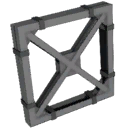
















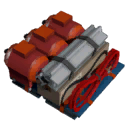
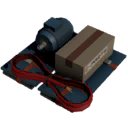
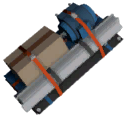








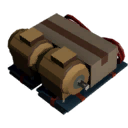











Data Network Properties
Input Data (Write)
These are all parameters, that can be written to with different means of using logic.
| Parameter Name | Data Type | ValueAutolathe | Description |
|---|---|---|---|
| On | Boolean | 0 | Turns the device off. Also toggles the switch accordingly. |
| 1 | Turns the device on. Also toggles the switch accordingly. | ||
| Open | Boolean | 0 | Stops purging of stored materials in the structure. Also resets the lever accordingly. |
| 1 | Starts purging of stored materials in the structure. Also pulls the lever accordingly. Without powering the structure it won't purge anything. | ||
| Activate | Boolean | 0 | Writing a 0 to the device stops the construction of the chosen item. |
| 1 | Writing a 1 to the device starts the construction of the chosen item. If there are not enough materials inside the structure it will starts to fabricate the item anyway, but won't actually produce the item and won't consume any stored resources. | ||
| Lock | Boolean | 0 | Allows manual interaction with the structure. |
| 1 | Completely blocks any manual interaction with the structure. This doesn't inculdes interaction by logic. | ||
| ClearMemory | Boolean | 0 | Writing a 0 to a structure doesn't have any impact. |
| 1 | Clears the counter memory. Will set itself back to 0 when actioned. | ||
| RecipeHash | Integer | Sets the machine to the recipe corresponding to the written hash number. | |
| Update 0.2.4677.21598 - Fri 29/12/2023 /Data_Network | |||
Output Data (Read)
These are all parameters, that can be read by using different means of logic.
| Parameter Name | Data Type | Value | Description |
|---|---|---|---|
| On | Boolean | 0 | The Autolathe is not powered. This is the same as the physical red powerswitch located on the structure. |
| 1 | The Autolathe is powered. This is the same as the physical red powerswitch located on the structure. | ||
| Open | Boolean | 0 | Output of the Autolathe is closed. This is the same as the physical lever located on the structure. |
| 1 | Output of the Autolathe is opened. This is the same as the physical lever located on the structure. | ||
| Activate | Boolean | 0 | The structure is currently producing nothing. |
| 1 | The structure is currently producing something. | ||
| Lock | Boolean | 0 | 1 if device is locked, otherwise 0, can be set in most devices and prevents the user from access the values. |
| 1 | 1 if device is locked, otherwise 0, can be set in most devices and prevents the user from access the values. | ||
| Power | Boolean | 0 | Can be read to return if the device is correctly powered or not, set via the power system, return 1 if powered and O if not. |
| 1 | Can be read to return if the device is correctly powered or not, set via the power system, return 1 if powered and O if not. | ||
| Error | Boolean | 0 | 1 if device is in error state, otherwise 0. |
| 1 | 1 if device is in error state, otherwise 0. | ||
| RecipeHash | Integer | Current hash of the recipe the device is set to produce. | |
| Reagents | Integer | Total number of reagents inside the device (e.g. 92g of iron = 92). | |
| RequiredPower | Integer | Idle operating power quantity. Does not include extra power demanded during recipe fabrication. | |
| CompletionRatio | Integer | How complete the current production is for this device, between 0 and 1. | |
| ExportCount | Integer | How many items exported since last ClearMemory. This count is based on every ouput stack of items (e.g. 1 item and 12g of iron = 2). | |
| ImportCount | Integer | How many items imported since last ClearMemory. The count is based on stacks (e.g. 92g of iron in on stack = 1). | |
| PrefabHash | Integer | The hash of the structure. | |
| Referenceld | Integer | Unique Reference Identifier for this object. | |
| Update 0.2.4677.21598 - Fri 29/12/2023 /Data_Network | |||
Internal Memory
Internal Memory
These are all valid instructions, that can be written or read with IC10, on Autolathe's stack.
| Op_code | Name | Description | Valid Address | Bits | Bits Description |
|---|---|---|---|---|---|
| 1 | StackPointer | The current address the stack pointer is pointing to. It cycles through the available addresses (0 through 53) in a single tick, making it look like it is decreasing for external observer. | 63 | 0-7 | Op_code |
| 8-23 | Index | ||||
| 24-63 | Unused | ||||
| 2 | ExecuteRecipe | This instruction will set the device to the specified prefabhash, and then begin manufacturing it. The final element of the payload is the quantity. So you can ask the device to make 200 ItemSteelSheets and it will do that. The quantity is a byte - so the maximum you can request is 255. | 0-53 | 0-7 | Op_code |
| 8-15 | Quantity | ||||
| 16-47 | Prefab_hash | ||||
| 48-63 | Unused | ||||
| 3 | WaitUntilNextValid | This is a flag that if there is an ExecuteRecipe in the next address, then it will wait until it can be completed. So if you put this before an ExecuteRecipe, the device will sit there till the order can be completed because it is waiting for ingredients. | 0-53 | 0-7 | Op_code |
| 8-63 | Unused | ||||
| 4 | JumpIfNextValid | This is another flag that applies to the next address (if it is ExecuteRecipe). If the recipe cannot be completed, then the Fabricator will jump to the specified address. | 0-53 | 0-7 | Op_code |
| 8-23 | Stack_Address | ||||
| 24-63 | Unused | ||||
| 5 | JumpToAddress | This will jump to a specific address. This will set the stack pointer to the address you specify. | 0-53 | 0-7 | Op_code |
| 8-23 | Stack_Address | ||||
| 24-63 | Unused | ||||
| 6 | DeviceSetLock | This will set the lock state of the device (true 1, false 0), similar to the "L" IC instruction. Useful if you want to lock the device, do something, then unlock it. | 0-53 | 0-7 | Op_code |
| 8-15 | Lock_State | ||||
| 16-63 | Unused | ||||
| 7 | EjectReagent | This allows you to specity the reagent you want to eject. All reagents of that type will be ejected. The stack will not advance until this is complete | 0-53 | 0-7 | Op_code |
| 8-39 | Reagent_Hash | ||||
| 40-63 | Unused | ||||
| 8 | EjectAllReagents | This instruction will eject all its reagents and pause execution till this is finished. | 0-53 | 0-7 | Op_code |
| 8-63 | Unused | ||||
| 9 | MissingRecipeReagent | Contains information about missing reagents for current executing recipe. Appears only when autolathe is trying to execute instruction ExecuteRecipe when flag WaitUntilNextValid is present. The reagent hash returned may be either signed or unsigned 32-bit integer. If using rmap, you need to check and convert the value to signed by subtracting 232. | 54-62 | 0-7 | Op_code |
| 8-15 | Quantity_Ceil | ||||
| 16-47 | Reagent_Hash | ||||
| 48-63 | Unused | ||||
| Update 0.2.5025.22811 - Fri 02/07/2024 /Internal Memory | |||||
Build States
| Stage | Image | Relevant item | Required tool (construction) |
Required tool (deconstruction) |
|---|---|---|---|---|
| 1 | 
|
1x Kit (Autolathe) | none | Wrench |
| 2 | 
|
2x Iron Sheets | Welding Torch | Angle Grinder |
| 3 | 
|
4x Cable Coil | none | Wire Cutters |
| 4 | 
|
2x Plastic Sheets | Welding Torch | Angle Grinder |
| 5 | 
|
none | Screwdriver | Hand Drill |
| 6 | 
|
Autolathe Printer Mod | Screwdriver | Hand Drill |
| Update 0.2.4677.21598 - Fri 29/12/2023 /Build States | ||||
Bugs
- Setting the "Activate" parameter to 1, can cause the Autolathe to activate, even when it is empty. Nothing is dropped from the output, once the production is finished in this case and the Autolathe will stop after one production run.